
Configure your workflows
Adapt branding, permissions, learning paths, assessments, and reports to your organization.
One ecosystem, modules that scale with you
Bring learning management, SIS, commerce, communication, content, onboarding, finance, and AI into one journey. Choose the modules you need, customize their workflows, and connect them to your systems.
A flexible ecosystem that grows through configuration, development, and integration.
LMS
Learning, assessment with anti-cheating features, progress, certificates, roles, and reporting.
Shared across modules
Spreadya is flexible, customizable, extensible, and ready for integration. Programmable features, services, and technologies can be added through an approach that fits your operations and systems.
Adapt branding, permissions, learning paths, assessments, and reports to your organization.
Add functions, experiences, and workflows for your needs, and extend the ecosystem as your operations grow.
Link HR, finance, identity, and learning tools to exchange data and connect workflows.
Start with the modules you need today, then add modules, services, and technologies as your requirements grow.
The operational foundation
The ecosystem starts with courses, learners, assessment, and certification. Complementary modules connect journey data and simplify work for instructors, learners, and training administrators.
The learning management core
A connected journey for instructors, learners, and training administrators, bringing content, enrollment, assessment, and completion together. Steps and rules can be tailored to your programs and policies.
Instructors organize lessons, media, and activities around learning objectives, then review and publish them. Content formats, approvals, and publishing permissions can be customized.
Learners enroll and follow their lessons, activities, and progress. Prerequisites, gradual content release, and completion rules can be configured for each program.
Learners submit assignments, take exams, and receive feedback. Instructors manage rubrics, the gradebook, attempts, and required accommodations.
Connect assessment results to completion rules and certificate issuance, with status verification and achievement reports. Rules and templates can be tailored to each program.
The core can connect to SIS for enrollment and results, finance for fee status, and CRM for coordinated notifications and follow-up.
Complementary modules
From commerce and communications to student information and finance, choose what serves your business. Each module can be configured, extended, and connected to the wider ecosystem.
Present courses, paths, and bundles, then manage the journey from product selection to learner access.
How it connects After a successful order, enrollment moves to the LMS, finance records the transaction, and CRM starts the follow-up journey.
Bring students, instructors, and customers into one relationship history, giving sales and support a clear view instead of scattered conversations.
How it connects CRM reads order, enrollment, and progress status, so every conversation reflects what actually happened in the ecosystem.
Build the website, program pages, policies, and marketing content on a structure that search engines and answer engines can understand.
How it connects CMS connects every page to a course or bundle and turns interest into an order or a CRM opportunity.
Help new employees understand the organization, their role, policies, and tools from preboarding through the end of their first three months.
How it connects The module places LMS content inside the employee journey and uses CRM for reminders and support without duplicating data.
Give operations and finance a view of invoices, sales, installments, and payments tied to each customer, learner, and order.
How it connects Finance receives order details from commerce and returns payment status to the modules that activate access or trigger follow-up.
SIS brings student data and administrative and academic processes into one record connected to the LMS. Functional scope and rules are configured around institutional policies and implementation requirements.
How it connects SIS connects admissions and registration to LMS courses, brings learning results into the academic record, and links fees to finance and notifications and follow-up to CRM.
A customizable layer supporting learning, teaching, and guidance, from content preparation and assessment to understanding learner needs and personalizing the experience. It can connect to your chosen AI provider and approved knowledge sources.
How it connects The layer draws on LMS content, assessment results, and SIS student records to provide help in the context of learning, and supports follow-up through CRM within institutional access permissions and permitted data.
Integration in practice
Example journeys bring learning, operations, and communications together. Their steps, data connections, and permissions can be tailored to your workflows.
Course commerce journey
New employee journey
Integrations and technical foundation
Connectors and integrations can be developed for your systems and providers, bringing content, identity, and data into one journey. Together, we select the services, versions, and data exchange approach that fit your needs.
Connect through APIs, webhooks, and SSO to HR, finance, and academic systems, with tailored permissions and data flows.
The experience can be developed toward accessibility requirements such as WCAG 2.2 AA, including keyboard use, screen readers, contrast, text alternatives, and assessment accommodations.
A responsive web experience, with options to develop downloads of selected content, offline study, and progress synchronization when connectivity returns, according to your policies.
File permissions, audit history, exports, retention, backups, and recovery can be tailored to your operating environment and data protection policies.
Together, we choose standards and versions that fit your content and systems, and include connection setup, development, and testing in the implementation plan.
Customization and expansion
Spreadya can be extended with these capabilities through custom development or integration with specialist services. Choose what you need, then shape the details and implementation priorities with us.
For authors and reviewers: a library, classification, authoring, approval, publishing, versions, reuse, sources, and rights. Content feeds the LMS; AI drafts remain subject to review.
For operations and instructors: sessions, calendars, time zones, rooms, virtual links, capacity, waitlists, and attendance. Connect schedules to SIS, completion to the LMS, and fees to finance.
For learners and managers: proficiency levels, role requirements, gap analysis, and development plans, connecting courses and assessments to evidence of skill acquisition.
For groups and instructors: discussions, group projects, peer review, moderation, and reporting, with group permissions and attachment and notification management.
For learners and credential administrators: expiry, renewal, recurring training, hours, and evidence, with options to connect digital badges and awarding bodies under their rules.
For training administrators: management scopes, seats, nominations, approvals, and reporting, with permissions and data isolation designed for your organization and customers.
For quality teams and managers: surveys, pre- and post-assessments, workplace follow-up, and improvement actions. Keep completion, skills, and satisfaction indicators distinct and protect respondent confidentiality.
A tailored extension for conferences and events, from the website, program, and speakers to registration, workshops, attendance, and certificates. It can connect to learning, finance, and communications for a complete participant journey.
Explore the conference service and project referencesA solution shaped around your needs
Combine modules, configuration, custom development, and integrations in a solution for your organization. The proposal explains the required functions, implementation approach, costs, and acceptance criteria.
Courses, pathways, assessments, certificates, roles, and learning reports.
Branding and domain, roles, pathways, and reporting shaped around your workflow.
SIS, commerce, communication, content, onboarding, finance, and external systems: functions and dependencies are defined for each scope.
Ready-made functionality, configurable settings, and custom development are itemized separately in the proposal. Finance covers platform transactions; other accounting functions require a separate scope review.
Inside the system
The working platform model shows learners, administrators, and organizations moving through tailored experiences while progress and reporting stay connected.
Illustrative preview with sample data. These figures and interfaces illustrate the learning journey. Experiences and functions can be tailored to your organization.
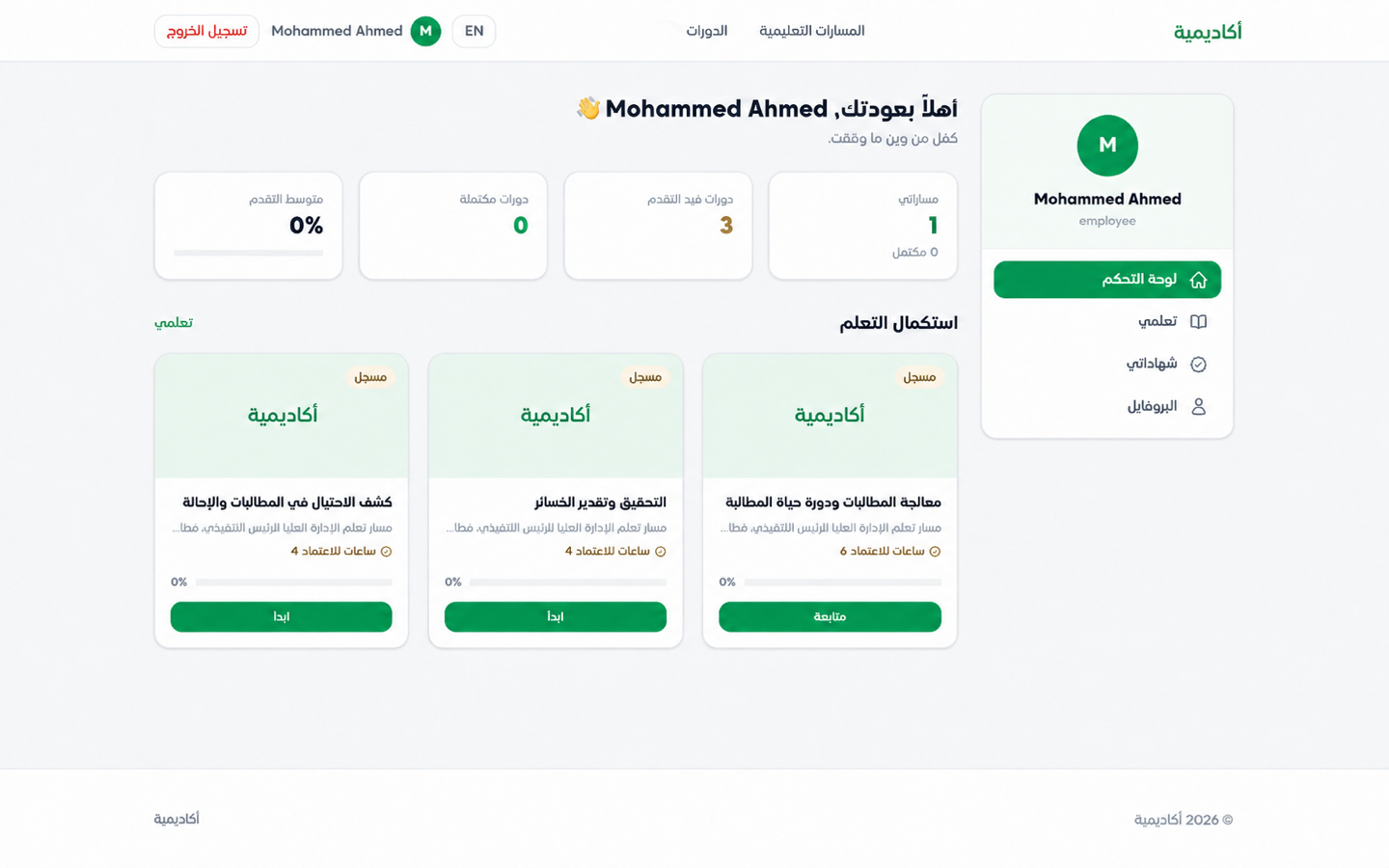
Courses, paths, and progress in one personal dashboard.
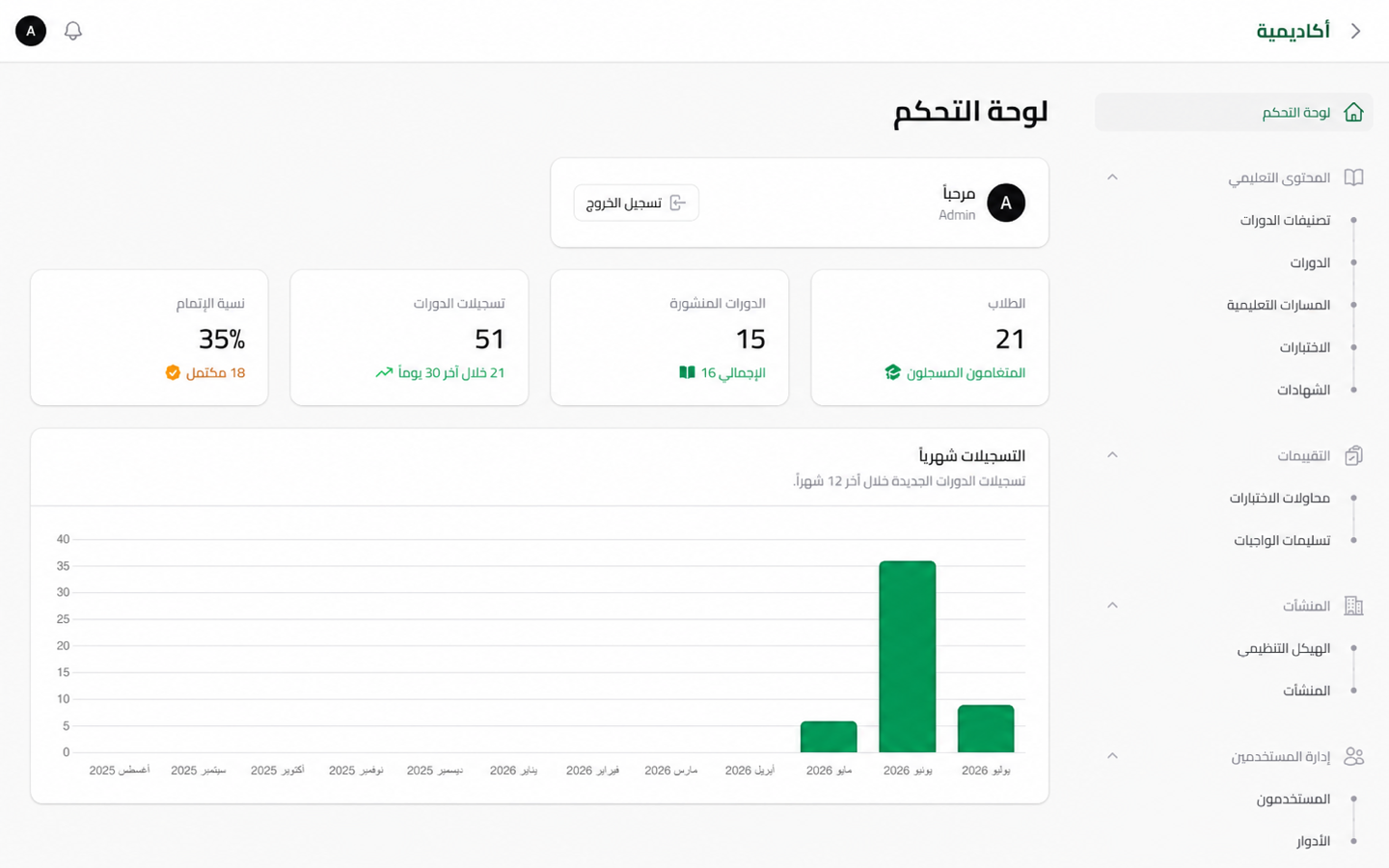
Content, users, and operational indicators in one workspace.
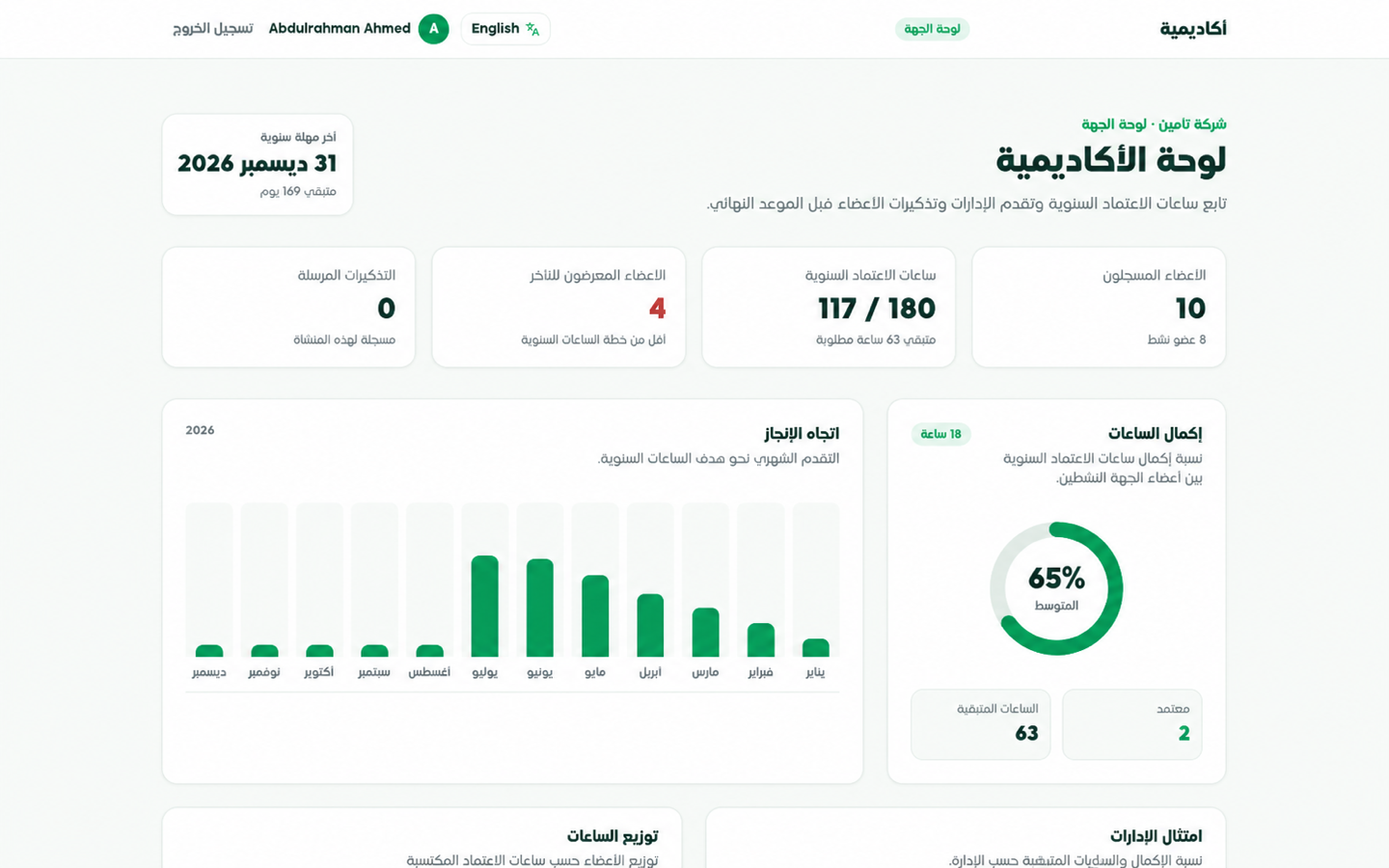
Completion, compliance, and indicators ready for decisions.
Start with your business model
In a tailored session, we map the learner or employee journey, sales and communication touchpoints, billing requirements, and reporting needs before proposing scope.